Getting started
How to Use MHA Tracker
The whole app comes down to three moments: an hour of setup, a 20-second weekly habit, and two days a year when the paperwork is simply ready. Here is each one.
Moment one
The first hour
When you sign in for the first time, the dashboard walks you through setup itself with a short checklist. Four steps, and the app checks them off as you go:
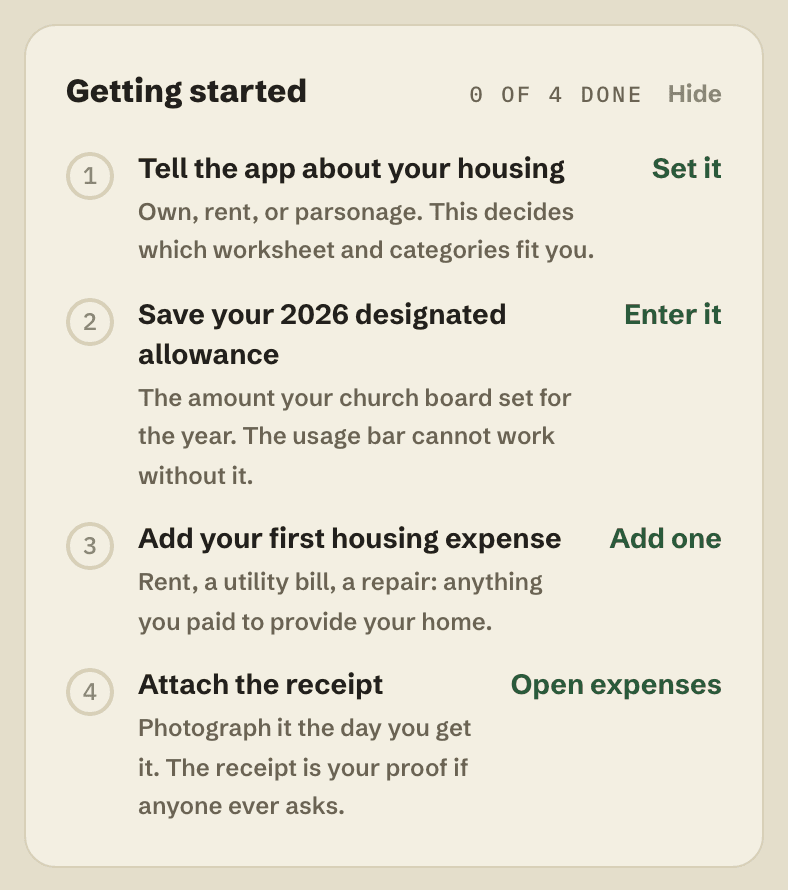
Two of the steps matter more than they look. Your housing situation (own, rent, or parsonage) decides which categories and worksheet the app builds for you. And your designated allowance is the amount your church board officially set for the year: every chart in the app measures against it, so enter it exactly as the board approved it. If your board has not designated an amount yet, that is worth fixing before anything else, and how a housing allowance must be designated.
Moment two
The 20-second habit
This is the whole product. When a housing bill arrives or you pay for something for the home, open the app and tap + Add on a phone, or + Expense on a computer. Date, amount, category, who you paid. Then photograph the receipt right there, before it hits a drawer.
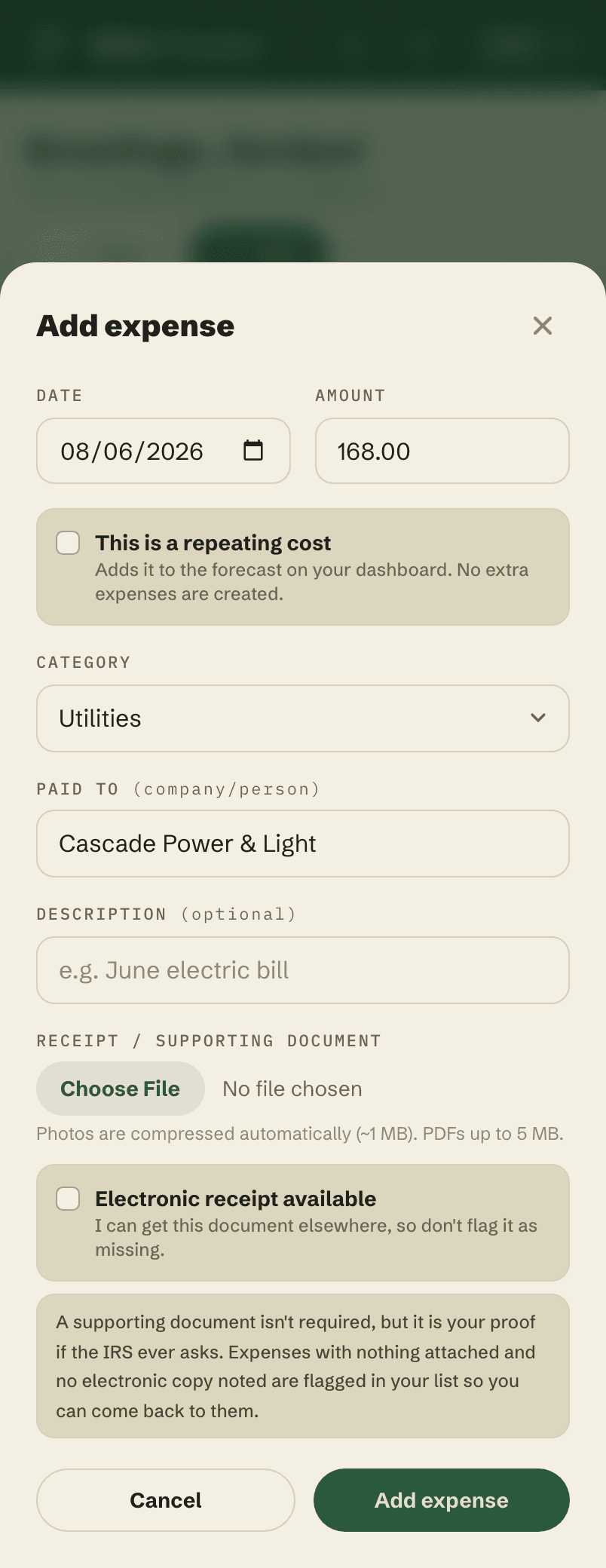
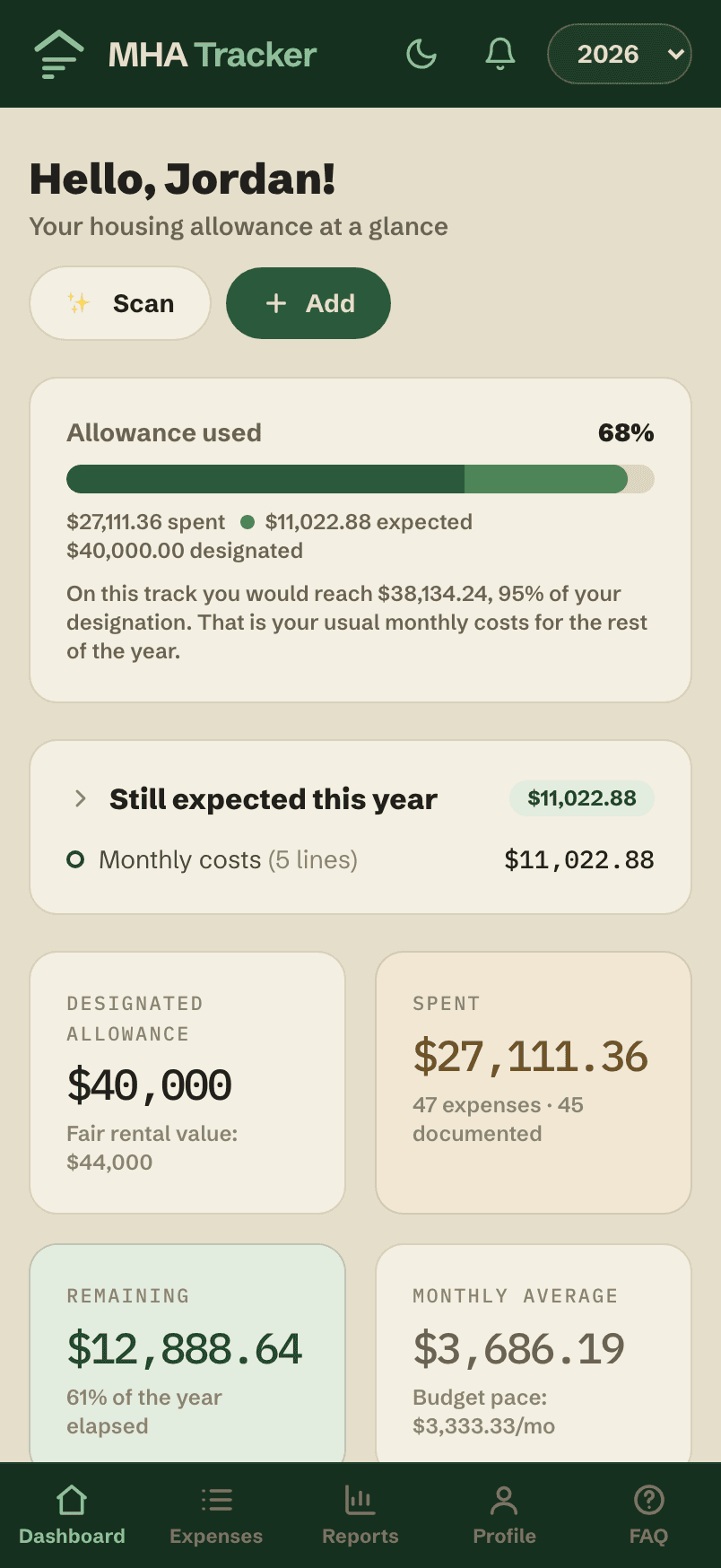
Why the photo matters: a bank statement proves you paid someone. Only the receipt shows what you bought, and the housing allowance exclusion covers what the money actually provided. Expenses with no receipt and no noted electronic copy get a small red flag in your list, so you can come back to them. Do this once a week and you will never do it in a panic in April.
Moment three
Two days a year
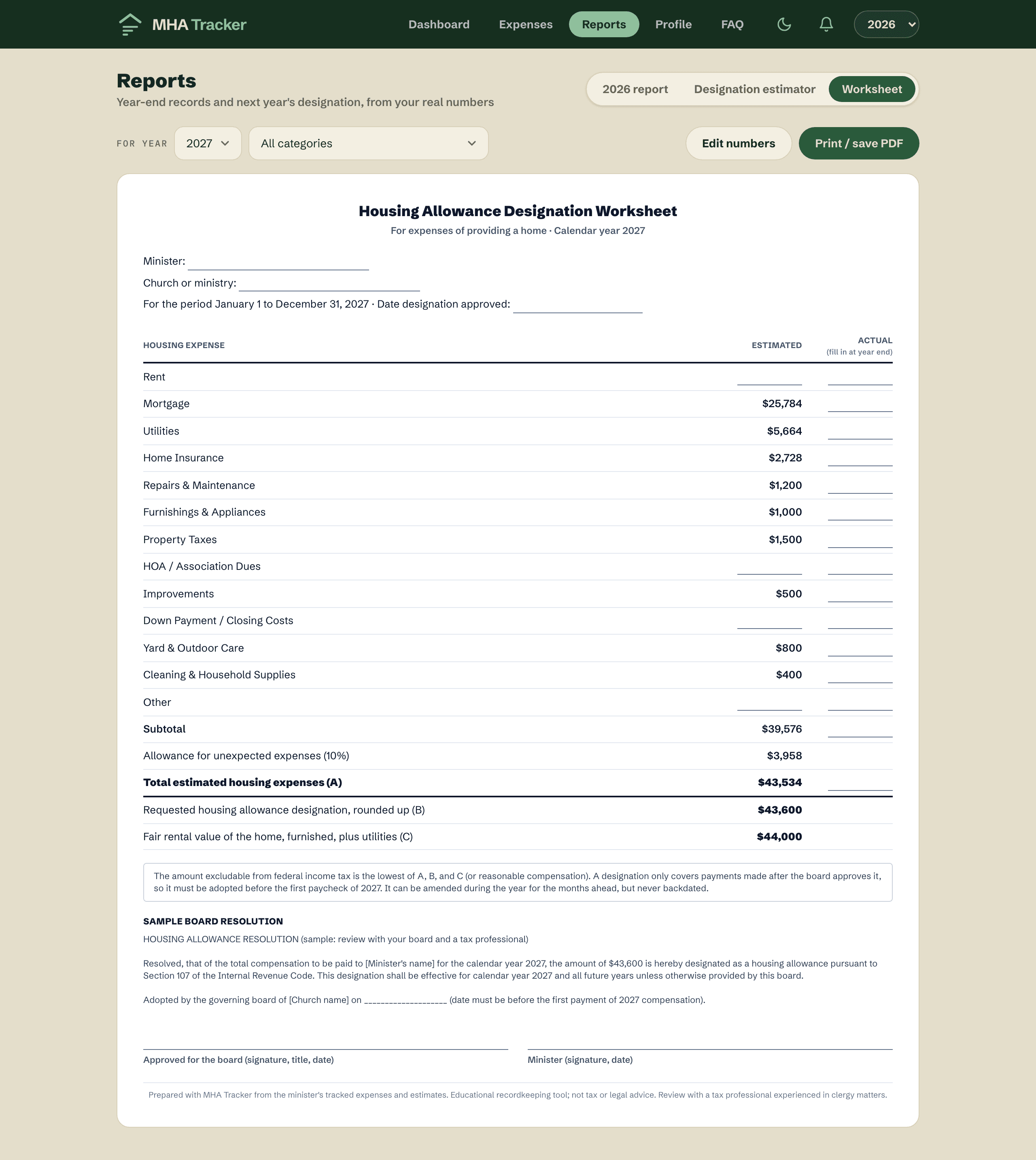
In December, your board sets next year's designation. Open Reports and the estimator projects next year from what you actually spent, adds a cushion you control, and prints a board-ready worksheet with sample resolution wording. Designating a little generously beats designating low, because a designation can never be raised looking backward.
At tax time, the annual report has the year in one place: totals by category, your spending next to your designation, and every receipt you photographed, downloadable in a single file for your tax preparer. That is the payoff of the 20-second habit: two of the year's more stressful days, already done.
Questions about the housing allowance itself, like who qualifies or what expenses count, live in the Housing Allowance Guide. MHA Tracker is an educational recordkeeping tool, not tax advice.
Start with this year
Enter your designated amount, add what you have spent so far, and you will know where you stand today.